AirSelect3D Blog
How to Choose AHU Selection Software: An OEM Evaluation Checklist
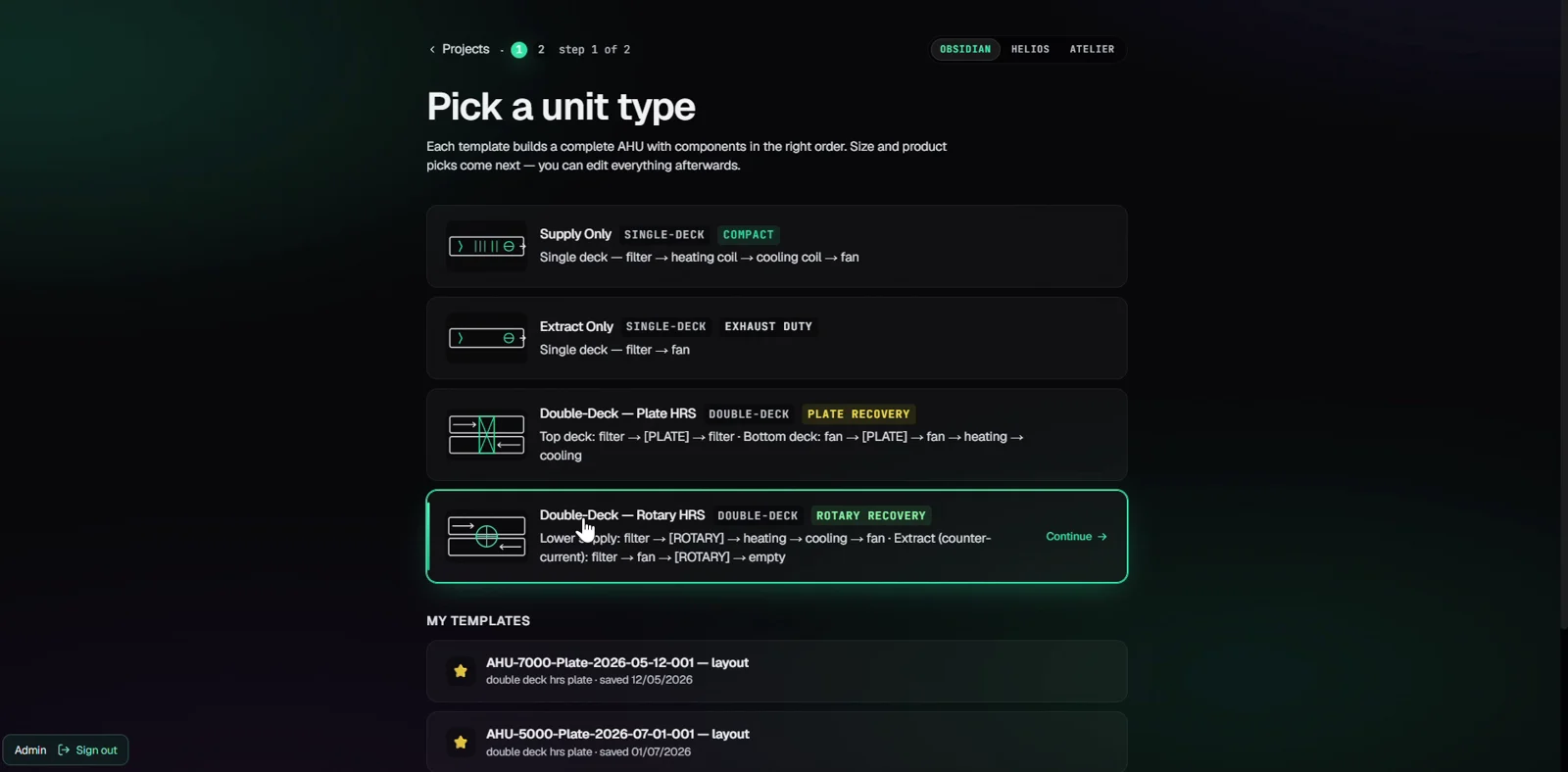
Choosing AHU selection software for a manufacturer starts with your unit range, component suppliers and technical handover. A convincing demonstration should connect those requirements: the unit you configure, the component results you review and the documents you deliver should describe the same selection.
This checklist is written by the AirSelect3D team for OEM engineering and sales teams. The screenshots and documents below are examples from our product, not an independent comparison of software vendors. Use the same evaluation project with every provider you consider.
1. Define which selection problem you need to solve
A tool for selecting a finished unit from a manufacturer's catalogue serves a different purpose from software configured around an OEM's own casing range, suppliers and document requirements. State which workflow you need before comparing features.
Identify who creates the selection, who approves its engineering and who receives the output. Include your sales team, design engineers and the people who use the drawings. Record the tasks currently performed in separate applications or spreadsheets, so the evaluation addresses actual handover problems.
For a product example, AirSelect3D's AHU selection workflow shows browser-based 3D configuration, component selection and technical documentation.
2. Bring one representative unit and its reference data
Choose a completed project whose operating conditions, supplier selections and drawings your team can explain. Keep the inputs consistent throughout the demonstration. A familiar unit makes it easier to identify missing assumptions than an unfamiliar showcase project.
Prepare:
- Supply and extract airflow, external pressure, temperatures and humidity, with explicit units.
- The intended arrangement, casing dimensions and any space or access constraints.
- Required component suppliers, product families and available reference selections.
- One technical report and one drawing showing what your receiving team expects.
- A list of outputs or connections to other systems that are essential to your process.
3. Check the source of each component result
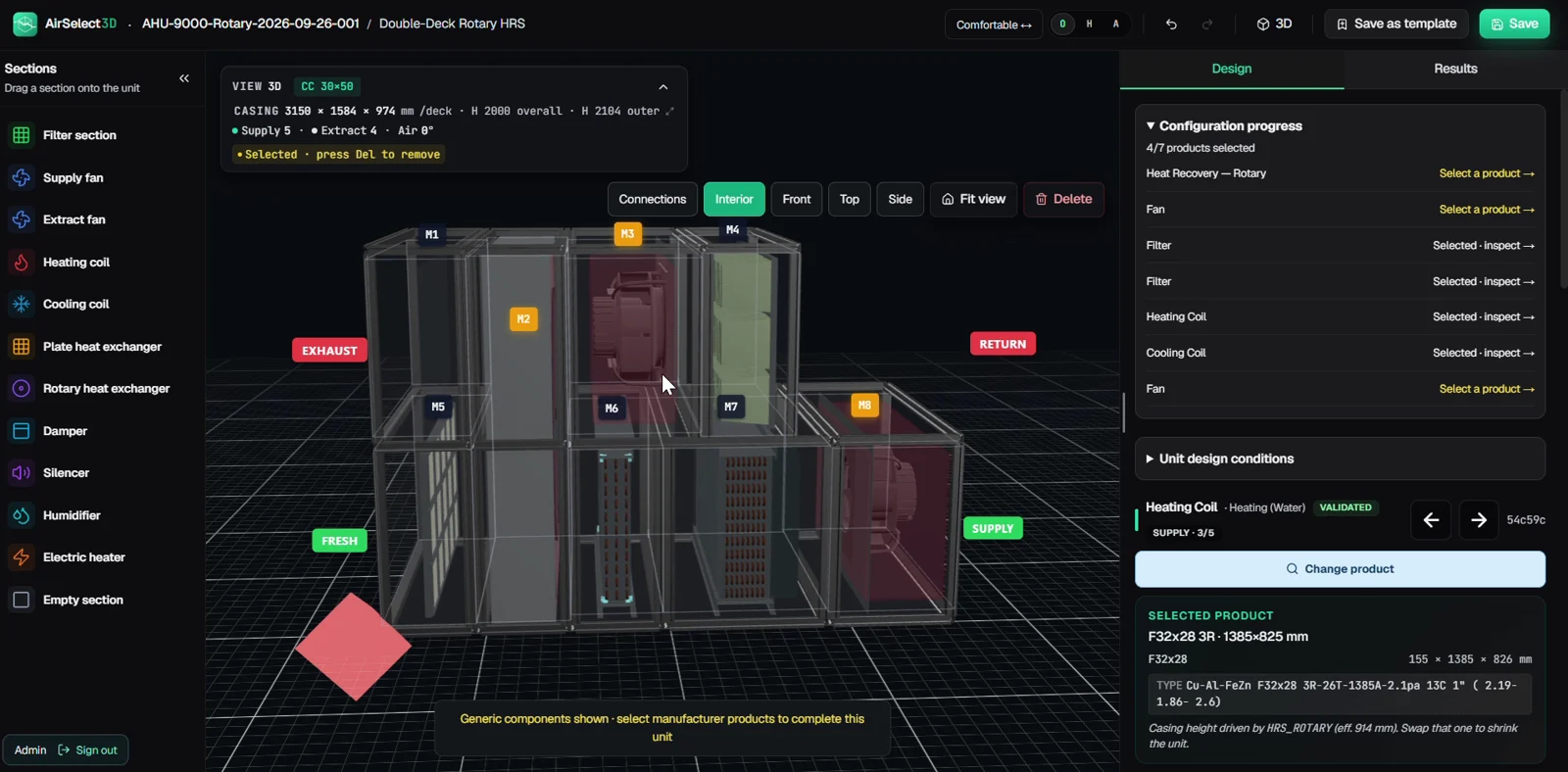
A supplier name in a list does not tell you which product families, operating ranges or calculation outputs are supported. Ask how the integration obtains its results and which supplier permissions or licences your deployment requires.
Compare a selected component with a reference selection at matching conditions. Check airflow, pressure, air state and any other inputs relevant to that component. Where results differ, record the explanation instead of accepting a visual match between two screens.
The supplier integration examples on our product page are a starting point for that discussion. Coverage, suitability and licensing must be confirmed for your project; a listed supplier does not imply endorsement.
4. Follow one revision through to the documents
After the first selection, change one requirement, such as airflow or external pressure. Follow the affected component selections, geometry and outputs. Ask which steps update automatically and which need engineering review.
Use a simple record during the demonstration:
| Check | Evidence to keep |
|---|---|
| Inputs | Original and revised operating conditions, including units |
| Components | Selection references and explanation of changed results |
| Layout | Dimensions, connection positions and access requirements |
| Documents | Revised PDF and drawing, with matching project references |
| Open issues | Missing data, manual checks and agreed follow-up actions |
Measure completion time on this exercise if speed matters to you. Define the start and finish of the task and include any manual work needed to obtain usable output. A short promotional video cannot establish your team's production time.
5. Open the deliverables with their intended users
AirSelect3D's demonstrated standard outputs are technical PDF reports and DXF general-arrangement drawings. Review the current report and drawing examples, then ask for files generated from the unit used in your own demonstration.
You can also download an illustrative AHU technical report: double-deck plate heat recovery (PDF). This is a separate example from the rotary heat-recovery report shown on the current product page. Its values describe that example configuration; they are not a performance guarantee or certification.
Open the DXF in the application used by the receiving team. Check units, dimensions, views and connection positions. For the PDF, check the operating conditions, selected components and information needed for review. Treat pricing sheets, bills of materials, IFC or other BIM formats and production-system connections as separate requirements to confirm in writing.
6. Turn the evaluation into an agreed scope
Before ordering, document the supported unit ranges, component integrations, report layouts, required exports, validation process and acceptance criteria. Agree responsibilities for providing data and reviewing the resulting selections.
The commercial proposal should identify setup, custom work, support, delivery milestones and any recurring services. Keep unresolved demonstration questions attached to that proposal, with an owner and an agreed way to close each one.
Questions to settle before a demonstration
How is AirSelect3D priced?
AirSelect3D is sold by quotation. Share your unit range, supplier list and required outputs so the scope and commercial terms can be discussed. No universal licence price is implied by the examples on this website.
Does a software result establish Eurovent certification?
No. Calculated indicators support engineering review; certification is a separate assessment by the certification body. Confirm the requirements applicable to your product range with the responsible parties.
What should we send first?
Send a representative unit, its operating conditions, supplier list and expected deliverables. If some information is confidential, discuss what can be shared before sending it. Book an AirSelect3D demonstration or contact [email protected].
Evidence and scope of this guide
This guide uses AirSelect3D's published product workflow, supplier examples, report previews and the linked sample PDF. Screenshots illustrate product use; they do not validate a particular engineering selection. Updated on 10 October 2026 to add the evaluation procedure and product examples.
Explore your next AHU project in 3D.
Discuss your component suppliers, documentation and drawing requirements with AirSelect3D. Demonstrations and pricing are available by quotation.
Explore AirSelect3D AHU selection software Request a demonstration →